Photo crop with computer vision
This was a project where I explored using computer vision (CV) to help crop scanned photos.
The need for this came about when we had a bunch of personal photos scanned and found that they were not automatically cropped and a white background was added around the photo. Manually cropping them all felt like a big time sink if it was possible to lessen and automate some of the work involved.
It was also made with the idea that each photo was scanned individually, as it would be hard to (for example) differentiate between two photographs scanned side by side (though thinking about it now, we could just adjust the tools to allow bigger adjustments).
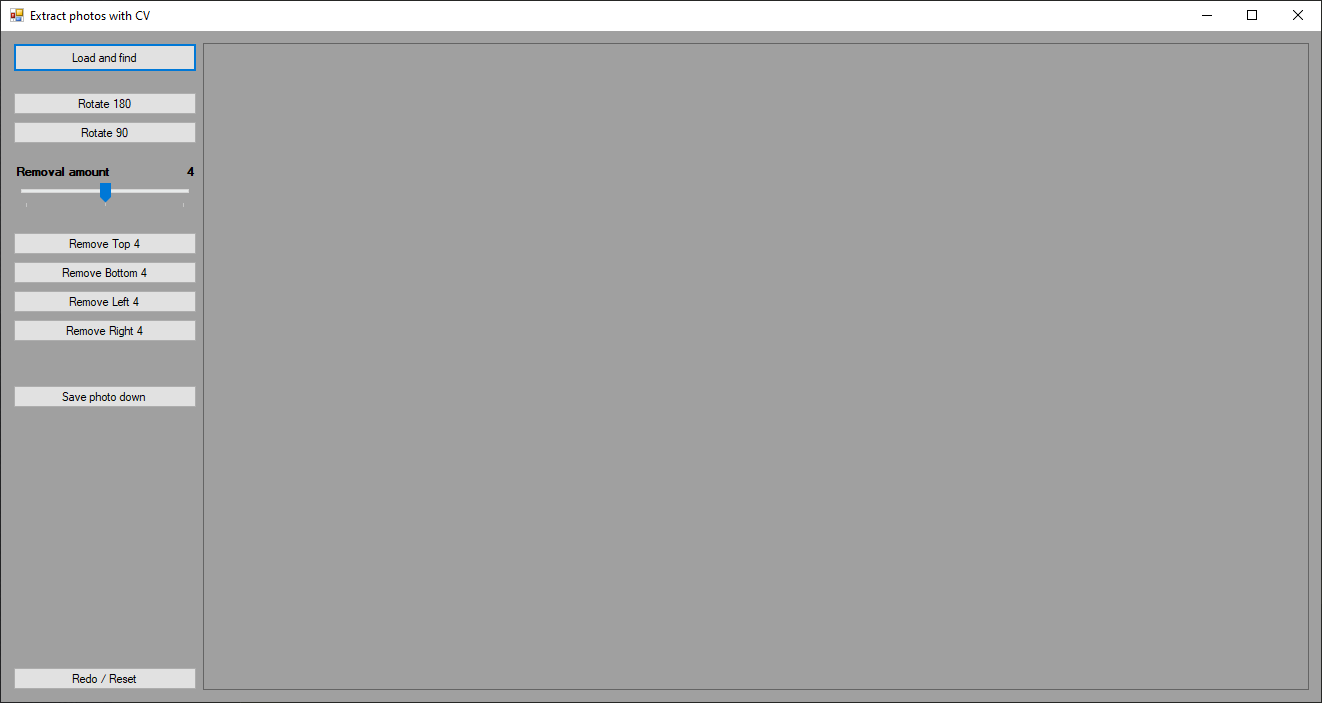 The UI of the application was very basic. Though another slider below the first one may be introduced to adjust the exponential value of pixels to use.
The original idea was to use computer vision to do all the work, but the result is a little bit of a compromise. After a week or so of trying to resolve my code I found that there's a surprising amount to factor in and understand, and even though I got it partially working it was actually difficult to understand what I implemented fully at that moment.
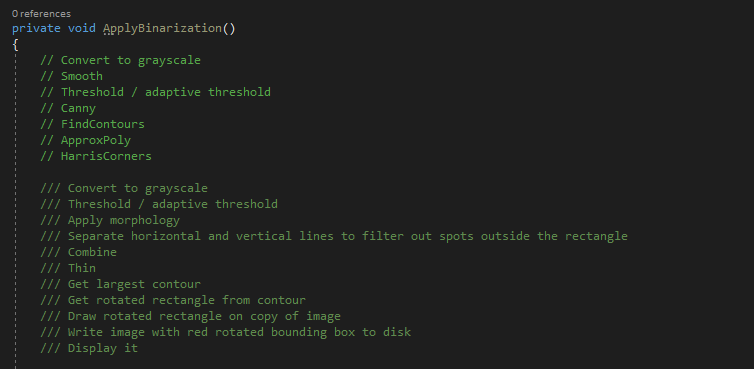 These were notes about the process. Incidentally I tried HarrisCorners (alone) first, as that was very easy to implement. It took under an hour to find corners, but more than a week to binarize and find edges.
So I ended up using another snippet of code to binarize and detect the edges. It removed most of the white background, so all that was left was to do a slight crop. Here is where I quickly implemented buttons that helped rotate, crop and save the image. It's good to note here that the button to save the image is destructive to the original file, and saves over it. That could be easily amended, though at the time I felt I got what I wanted out of the application as it is.
Overall, this was an interesting exploration. OpenCV was used, though it is unusual to write it all in C#. The usual go-to language for computer vision is Python after all and affected my experience reading answers and documentation. In future I would like to revisit this source and more formally understand how to get what I want from computer vision.
The code that follows below shows my sincere attempts at using computer vision to extract the photos from several sources, mostly from the advice off the StackOverflow website. Note that I call the Imshow method to see the progress of each step—and that the code for this method is generally unfinished (and is naturally not refactored yet).
private void ApplyBinarization()
{
    try
    {
        OpenFileDialog dialog = new OpenFileDialog();
        if (dialog.ShowDialog() != DialogResult.OK)
        {
            return;
        }
        imgInput = new Image<Bgr, byte>(dialog.FileName);
        Image<Bgr, byte> imgOutput;

        imgGray = imgInput.Convert<Gray, byte>();
        CvInvoke.Resize(
            imgGray,
            imgGray,
            new Size(imgGray.Width / scaleAmount, imgGray.Height / scaleAmount),
            0,
            0,
            Inter.Nearest
        );
        imgBinarize = new Image<Gray, byte>(
            imgGray.Width / scaleAmount,
            imgGray.Height / scaleAmount,
            new Gray(0)
        );

        //imgGray = imgGray.SmoothBlur(3, 3);
        CvInvoke.Threshold(imgGray, imgBinarize, 240, 255, ThresholdType.Trunc);
        CvInvoke.AdaptiveThreshold(
            imgBinarize,
            imgBinarize,
            255,
            AdaptiveThresholdType.GaussianC,
            ThresholdType.Binary,
            3,
            0.0
        );

        CvInvoke.Imshow("1", imgBinarize);

        //imgBinarize = imgBinarize.Erode(1);
        imgBinarize = imgBinarize.Dilate(1);

        CvInvoke.Imshow("2", imgBinarize);

        // By edge, and then take out the contour
        //CvInvoke.Canny(imgBinarize, imgBinarize, 60, 180);

        VectorOfVectorOfPoint markers = new VectorOfVectorOfPoint();

        //create 32bit, single channel image for result of markers
        Mat markerImage = new Mat(imgBinarize.Size, DepthType.Cv32S, 1);

        //set image to 0
        markerImage.SetTo(new MCvScalar(0, 0, 0));

        //find the contours
        CvInvoke.FindContours(
            imgBinarize,
            markers,
            null,
            RetrType.External,
            ChainApproxMethod.LinkRuns
        );

        CvInvoke.Imshow("3", imgBinarize);

        //label the markers from 1 -> n, the rest of the image should remain 0
        for (int i = 0; i < markers.Size; i++)
            CvInvoke.DrawContours(
                markerImage, markers, i, new MCvScalar(i + 1, i + 1, i + 1), -1
            );

        ScalarArray mult = new ScalarArray(5000);
        Mat markerVisual = new Mat();

        CvInvoke.Multiply(markerImage, mult, markerVisual);

        CvInvoke.Imshow("4", markerVisual);

        //draw the background marker
        CvInvoke.Circle(
            markerImage, new Point(5, 5), 3, new MCvScalar(255, 255, 255), -1
        );

        //convert to 3 channel
        Mat convertedOriginal = new Mat();

        //use canny modified if 3/4", or use the gray image for others

        CvInvoke.CvtColor(
            imgBinarize, convertedOriginal, ColorConversion.Gray2Bgr
        );

        //watershed!!
        CvInvoke.Watershed(convertedOriginal, markerImage);
        //visualize
        CvInvoke.Multiply(markerImage, mult, markerVisual);
        CvInvoke.Imshow("5", markerVisual);

        //get contours to get the actual tiles now that they are separate...
        //VectorOfVectorOfPoint tilesContours = new VectorOfVectorOfPoint();

        markerVisual.ConvertTo(markerVisual, DepthType.Cv8U);

        CvInvoke.BitwiseNot(markerVisual, markerVisual);

        CvInvoke.Imshow("6", markerVisual);

        Rectangle ROI2 = new Rectangle(
            2, 2, markerVisual.Width - 4, markerVisual.Height - 4
        );
        Mat imgCrop = new Mat(markerVisual, ROI2);

        //CvInvoke.BitwiseNot(imgCrop, imgCrop);
        CvInvoke.Imshow("7", imgCrop);

        //Mat imgOutput2 = new Mat(imgInput, ROI);
        //Mat imgOutput2 = new Mat(imgOutput, ROI);

        //ApplyCornerHarris(markerVisual, 200);

        CvInvoke.Imshow("8", imgCrop);

        picLoaded.Image = imgCrop.Bitmap;

    }
    catch (Exception)
    {
    }
}